
Turn any story into a music worksheet.
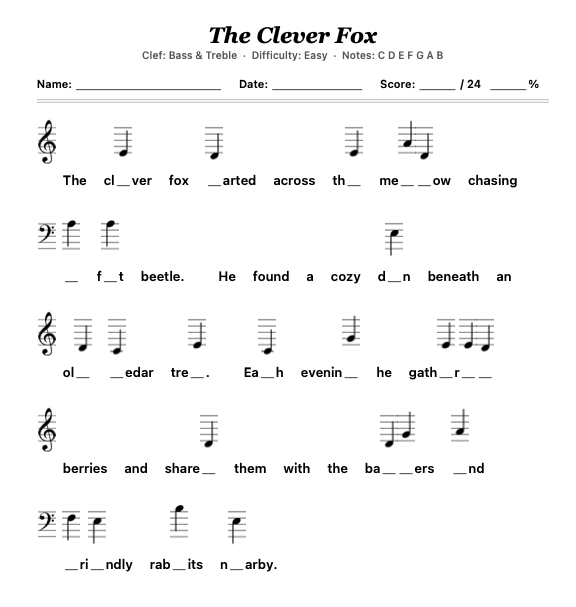
Clef Stories turns short stories into printable note-naming worksheets. Pick a clef, choose your notes, and the words become the music.

How it works
Create custom worksheets in seconds.
- Custom settings. Treble or bass clef, notes, octaves, difficulty. Perfect for focusing on the skills your students need.
- Built-in story library. Starts with 160 stories across 16 categories. Or paste your own text for unlimited options.
- Efficient scoring. Use the included answer keys to score worksheets in seconds.
A closer look
Three quick views of the app.
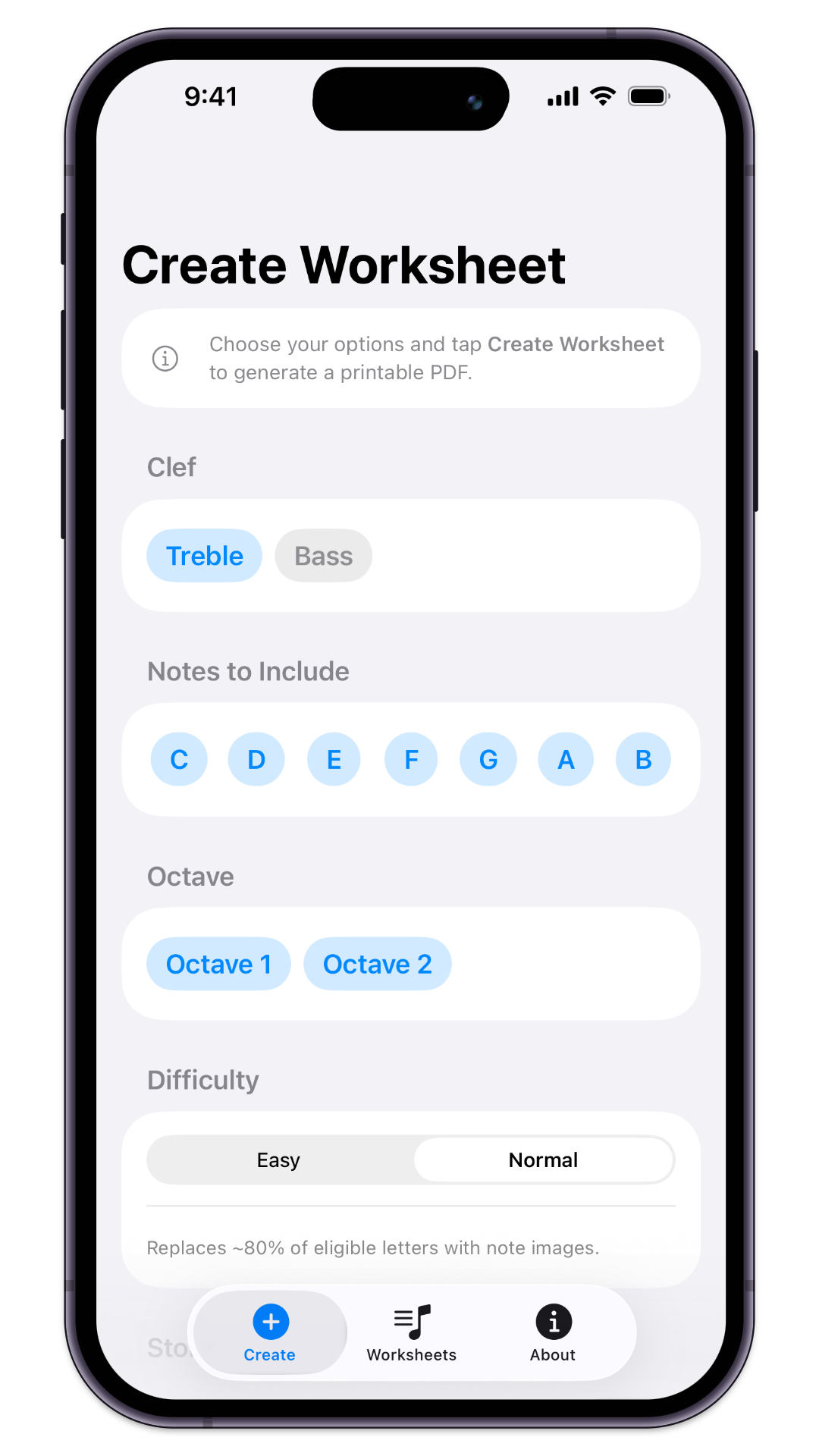 Choose your options
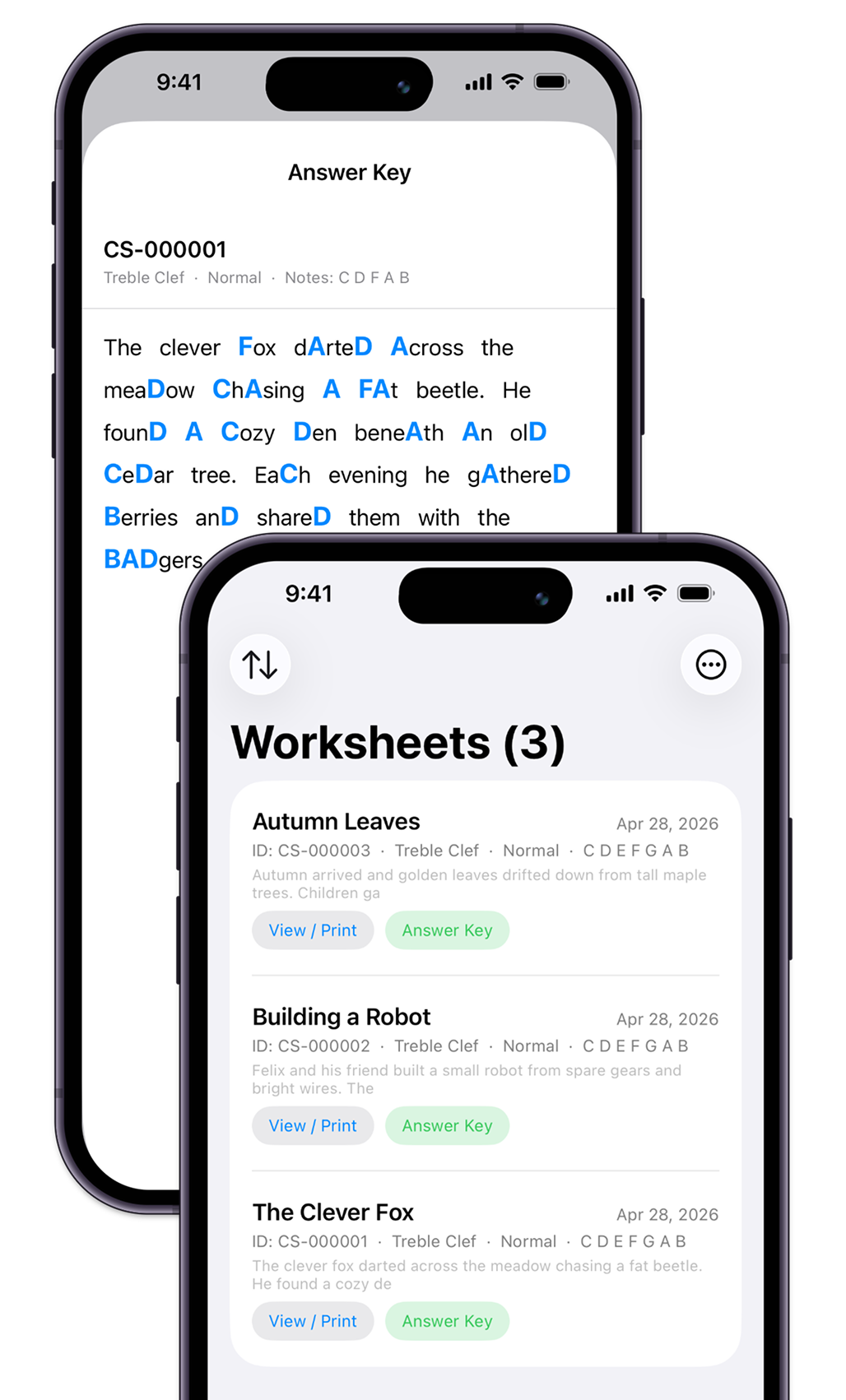 Bank or score your worksheets
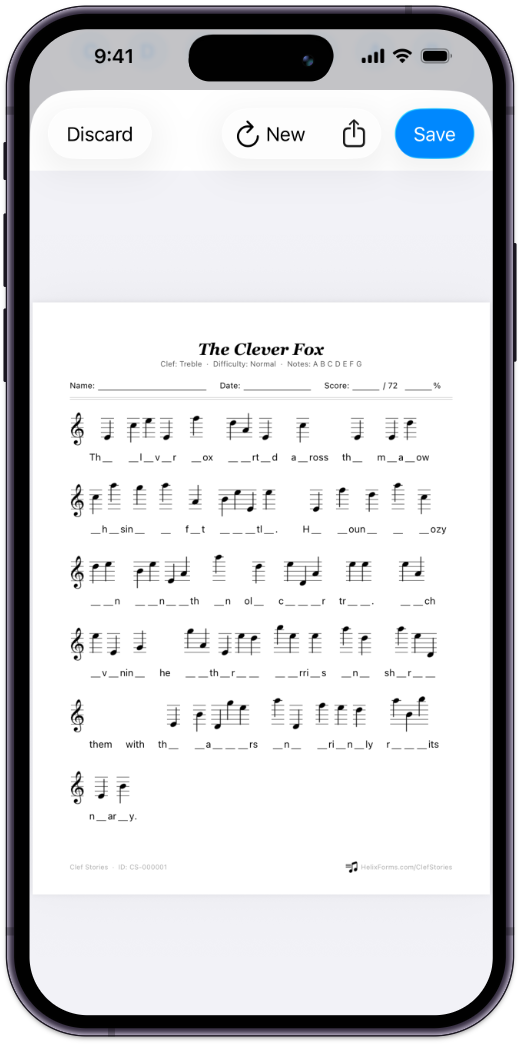 Share or print
— Swipe —
Features
Built-in answer key
Every replaced letter is highlighted inline so you can grade at a glance. No flipping pages, no decoding squiggles — just read the story.
Adjustable difficulty
Choose the clef, notes, and octaves to include. Adjust how many letters get replaced — Easy mode (~40%) for beginners, Normal (~80%) for confident note-readers. Same story, different challenges.
Built-in story library
Hundreds of curated stories sorted by theme, or copy and paste your own for an easy custom option.
Worksheet database
Every worksheet you create is saved automatically. Sort by Newest, Oldest, Clef, or Difficulty — and re-print anytime.
Backup & export
Export your full worksheet library as a single combined PDF for the binder, or back up and restore via JSON.
Print-ready PDFs
Every worksheet generates as a clean PDF with name, date, score, and total-blank count — ready to print, share, or hand out.
Both clefs supported
Treble, bass, or random per line when both are selected.
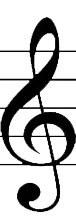
Treble Clef

Bass Clef
Free to try, $4.99 to unlock
Create your first three worksheets free. Unlock unlimited worksheets, full answer key access, and PDF export for a one-time $4.99.
No subscription. No accounts. No recurring fees.
Common questions
What devices does Clef Stories run on?
Clef Stories is an iOS app that requires iOS 17 or later. It runs natively on iPhone and iPad, with the larger iPad screen being especially handy for reviewing worksheets before printing.
How does the letter-to-note replacement actually work?
You pick which note letters to include — any combination of C, D, E, F, G, A, and B. The app scans your story text and, based on your difficulty setting, replaces matching letters with the corresponding note image on a clef staff. Easy mode replaces about 40% of matches; Normal mode replaces about 80%.
Can I use my own stories?
Yes. The built-in library has hundreds of stories sorted by theme, but you can also paste any text you like — your own writing, a passage from class reading, a holiday-themed message. The app handles it the same way.
How do I grade the worksheets?
Each worksheet is generated alongside an answer key view that highlights every replaced letter inline within the original story. The PDF also includes Name, Date, and Score fields, plus a total blank count so you know what to grade out of.
What happens if both clefs are selected?
The app assigns a clef randomly per line, so a single worksheet might mix treble and bass — great for students working on reading both staves. If you only want one, just select that clef.
Is my data private?
Completely. Clef Stories has no accounts, no logins, and no analytics. Every worksheet you create stays on your device. Nothing is uploaded to our servers because we don't operate any. See our privacy policy for details.
Can I move my worksheets between devices?
Yes. Clef Stories includes JSON backup and restore, and you can also export your entire collection as a single combined PDF.
Print your first worksheet tonight.
Built for music teachers, by Helix Forms. Available on the App Store for iPhone and iPad.