
Set up. Score. Print.
Standards-based report cards built on your school's own standards and rating scale. Teachers enter scores in the browser, and the office prints every card.
Sign in with your school Google account. The demo needs no sign-in.
Your standards, your report card
Report Card Builder is a web app for schools that grade by standards. You set up your own grades, subjects, standards, rating scale, and terms. The app makes a class spreadsheet for every teacher, teachers enter scores and comments, and the office prints a finished report card for every student.
Everything lives in Google Sheets in your school's own Google account, so the data is yours, and there is nothing to install.
Set up. Score. Print.
The whole report card cycle, in one app.
Set up
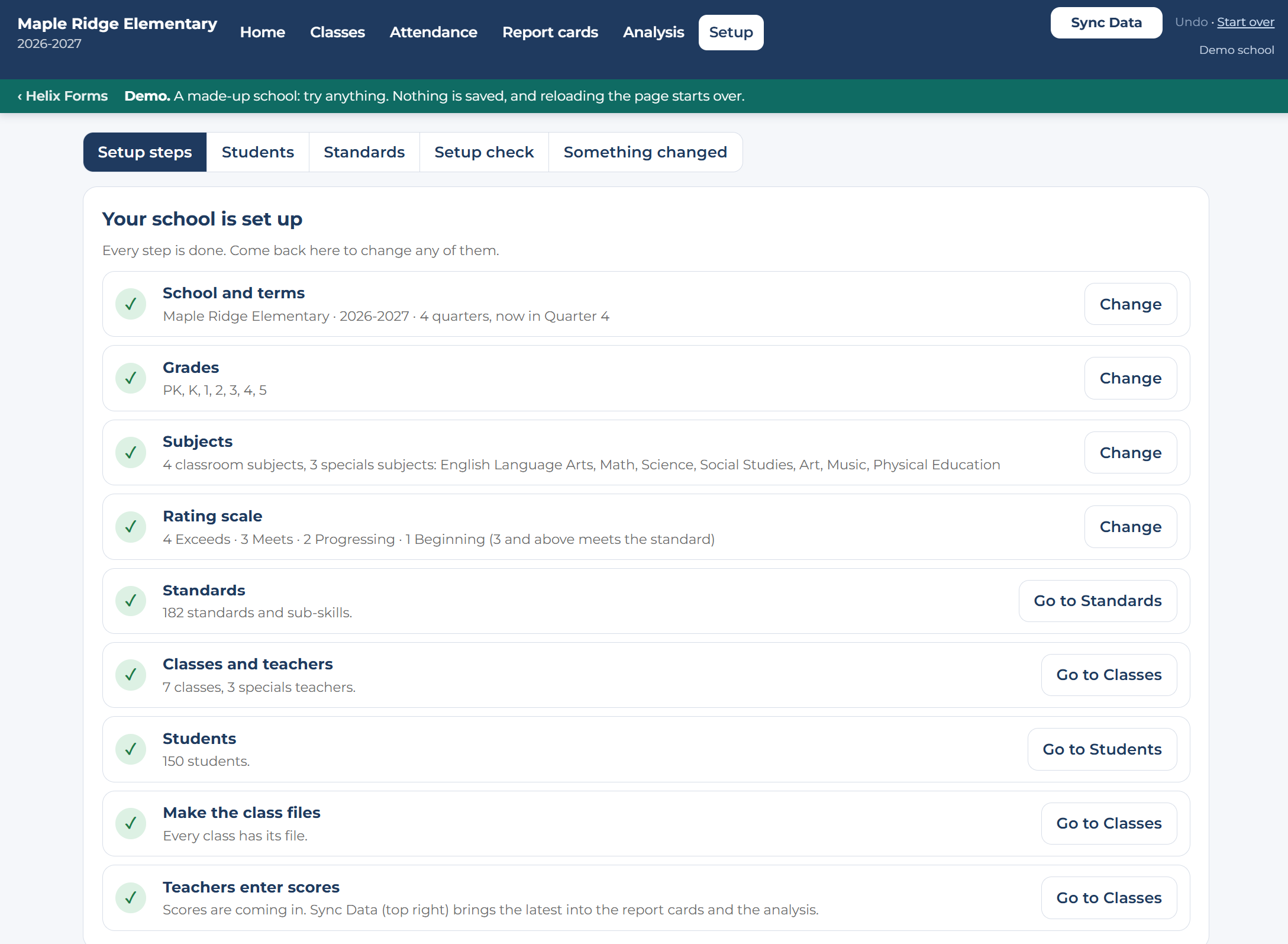
Follow the setup steps: school and terms, grades, subjects, rating scale, standards, classes, and students. Bring in your student list and your standards from the files you already have.
Score
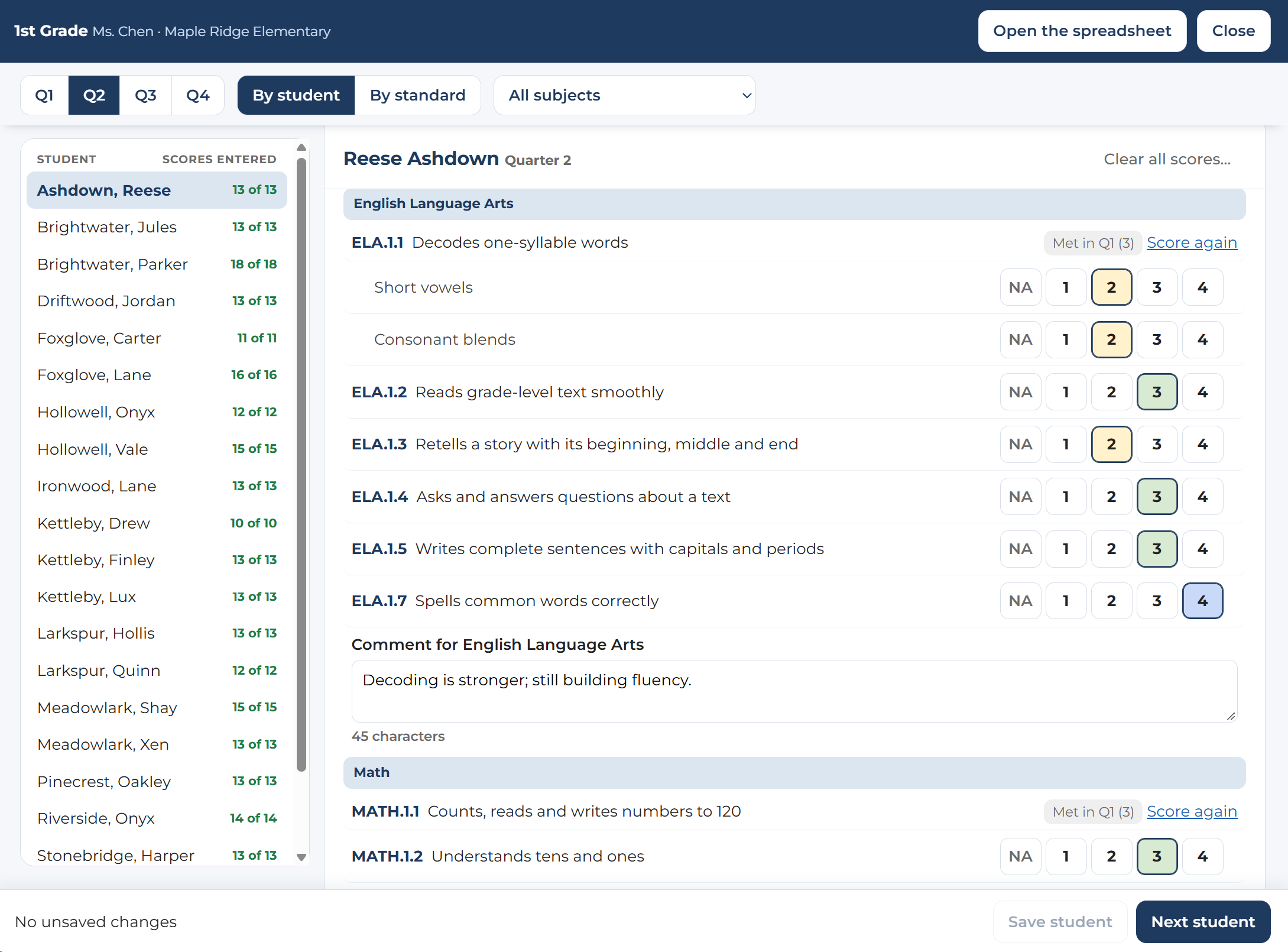
Each teacher gets a link to their class. Score one student at a time or one standard down the whole class, with clicks, keys, or a drag down the list.
Pick a class and a term, and every card is laid out on exact letter pages, ready to print two-sided or save as a PDF.
Features
Fast score entry
By student or by standard. Click, type, or drag down the list. Comments sit under each subject.
Guided setup
A short list of steps, each showing what is done and what comes next. Change your scale or terms without starting over.
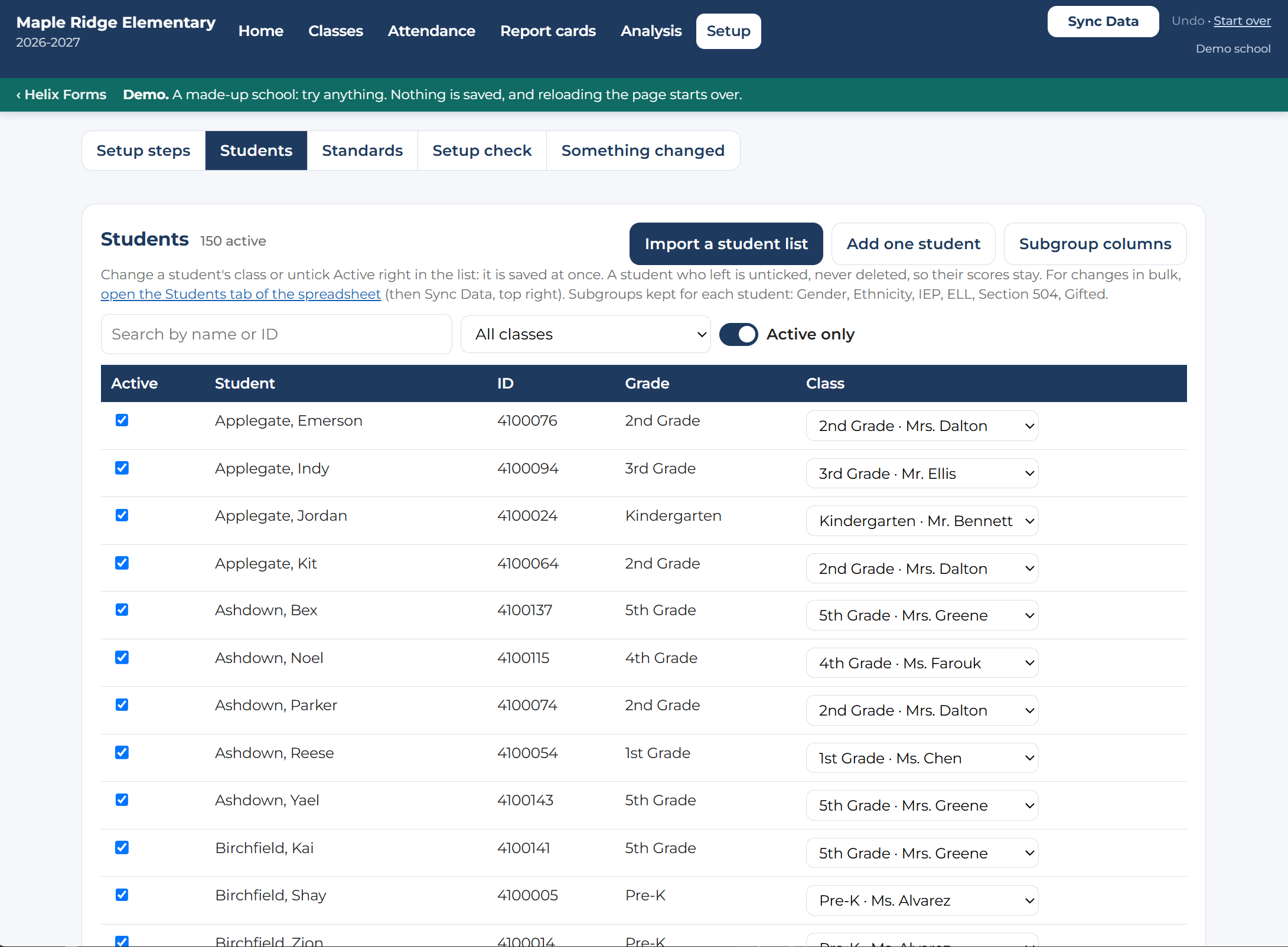
Import what you already have
Bring in your own student list, standards list, and attendance report by pointing at their columns. Then change a class right in the list.
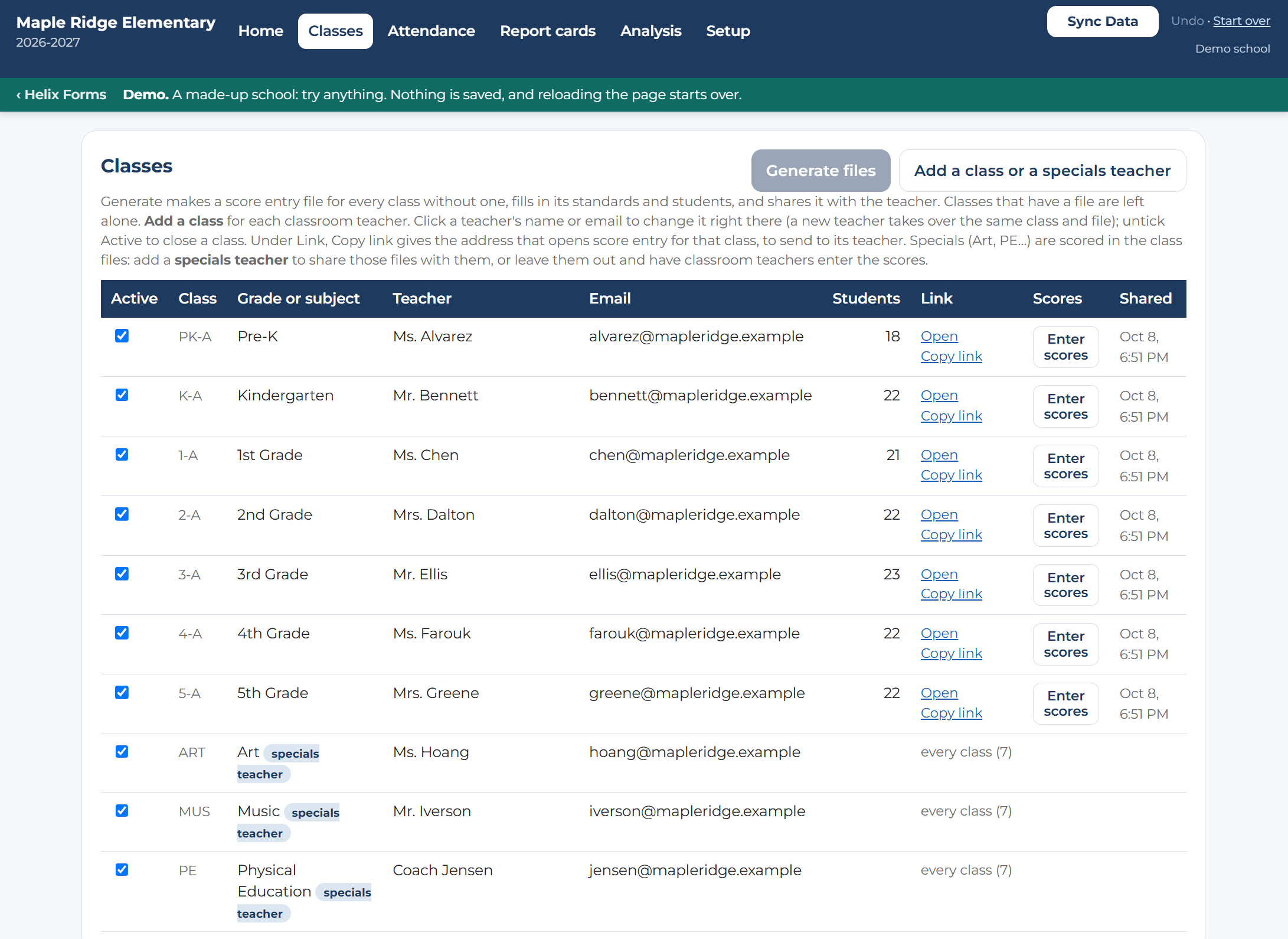
A file for every class
The app makes each class spreadsheet and shares it with its teachers. Specials teachers get the classes they teach.
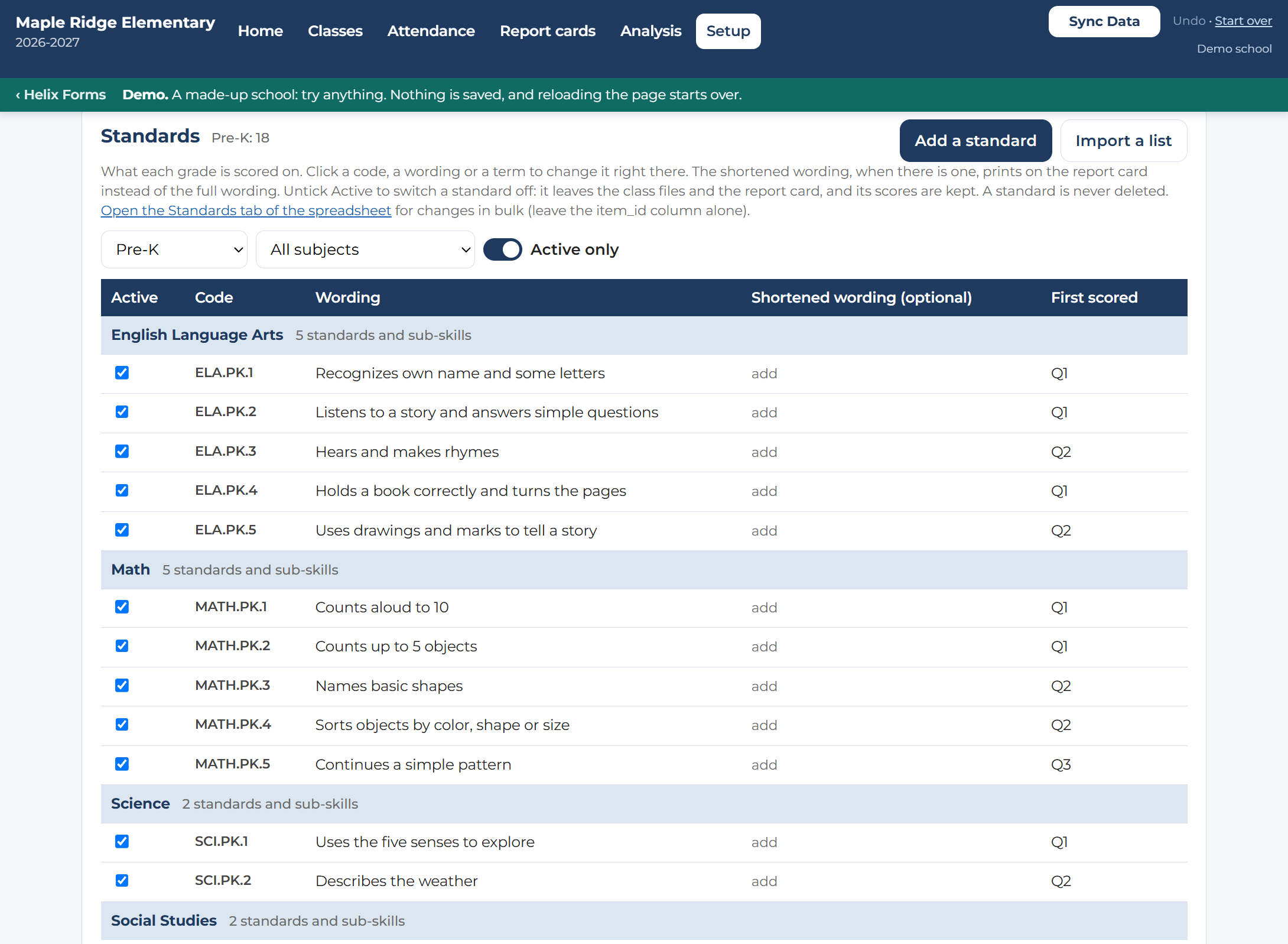
Your own standards
Edit wording in place, add sub-skills, and switch a standard off without losing its scores.
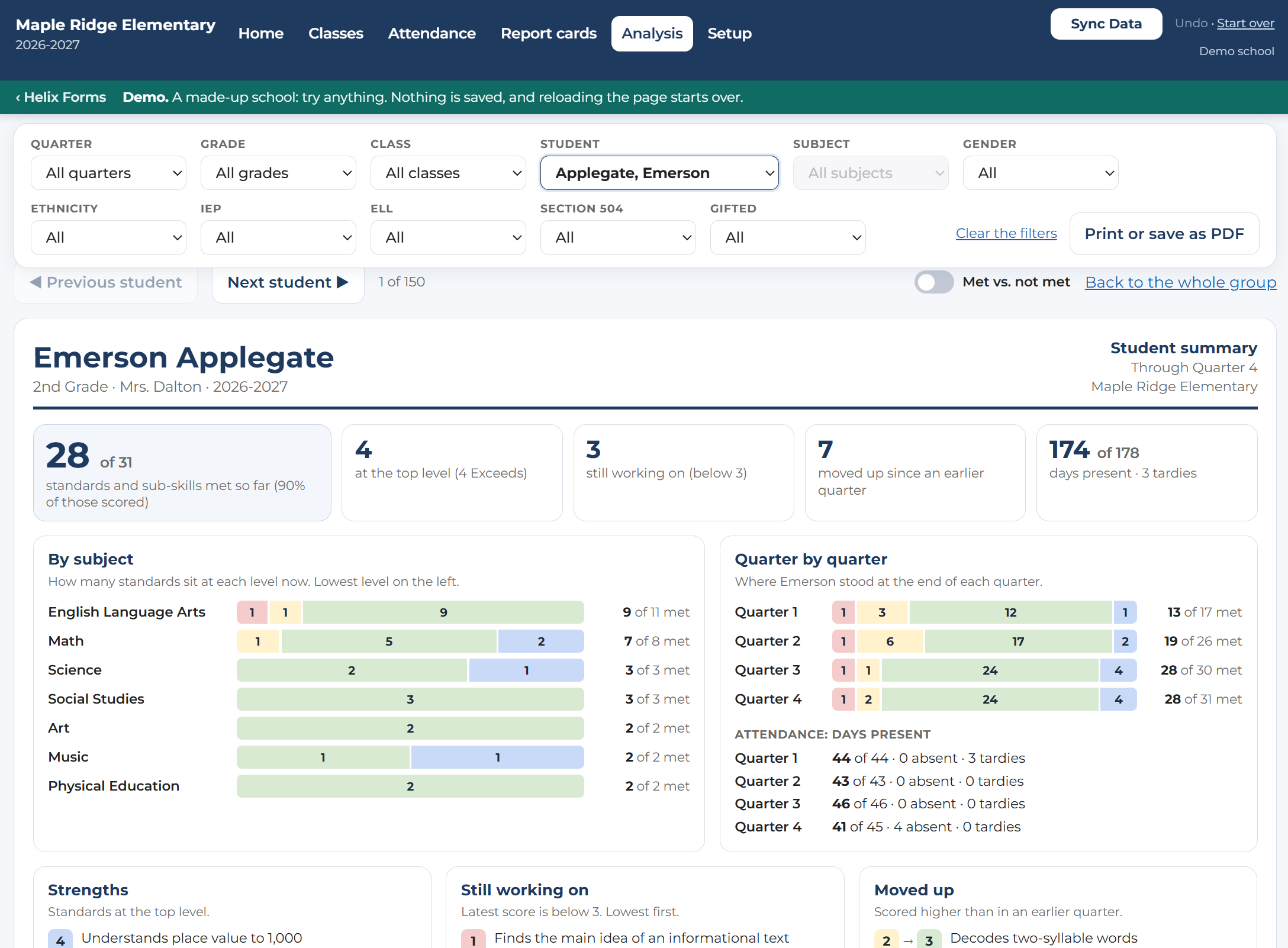
A summary for every student
Standards met, strengths, what is still in progress, and attendance on one page. View it on screen or print it for a conference.
The demo is the full app with a made-up school. No sign-in required.
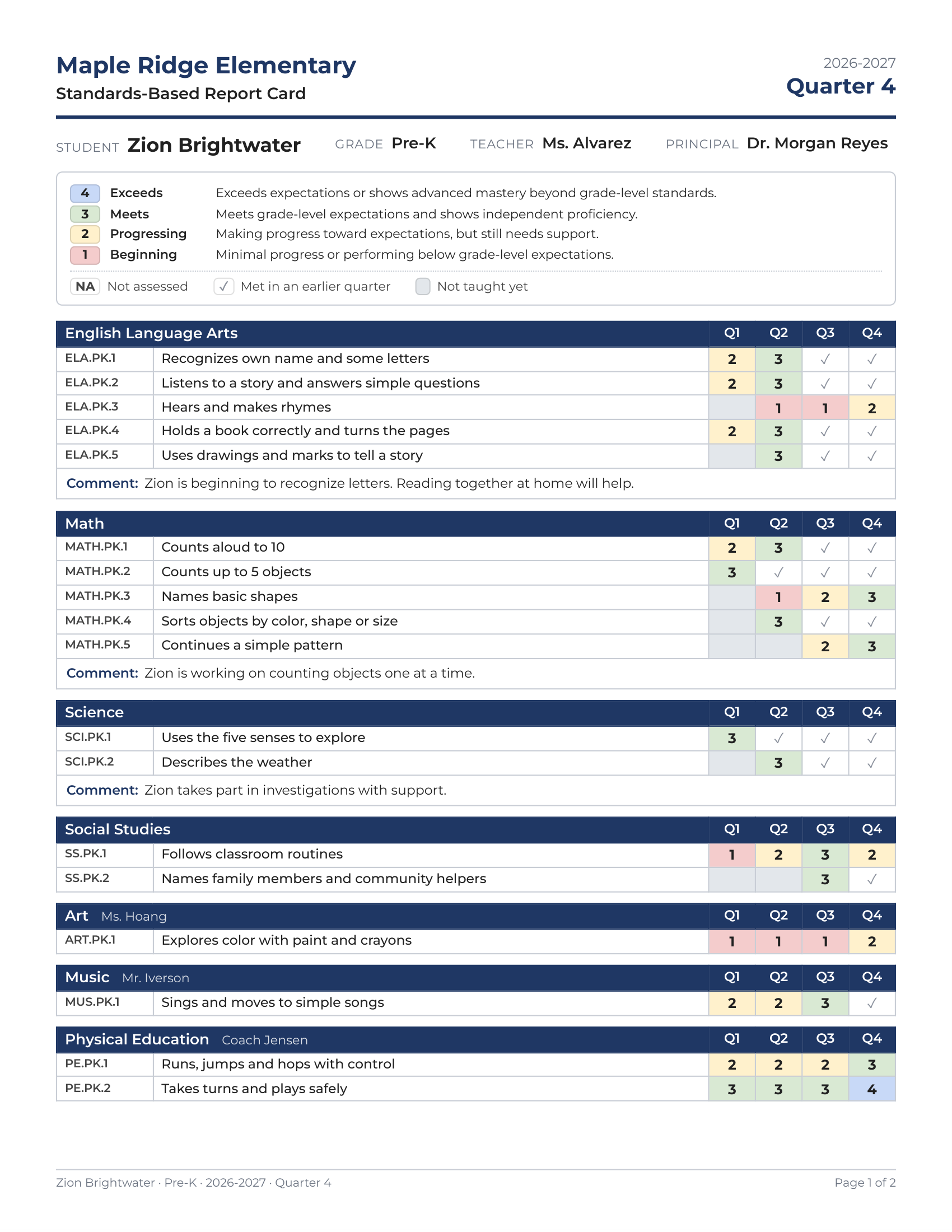
The card that goes home
Every standard, every term. Each subject lists its standards with a score for each quarter, trimester, or semester, in your school's own rating scale and colors.
Comments, attendance, and a signature line. Teacher comments by subject, an overall comment, days present and absent, and your school's logo at the top.
Print a whole class at once, two-sided or one-sided, or save it as a PDF.
Built for the whole school year
- Students come and go. Add a student, move one to another class, and their scores follow them.
- Standards change. Fix wording or add a standard mid-year, then update every class file with one button.
- Specials are covered. Art, music, and PE teachers score in the classes they teach, or classroom teachers enter those scores.
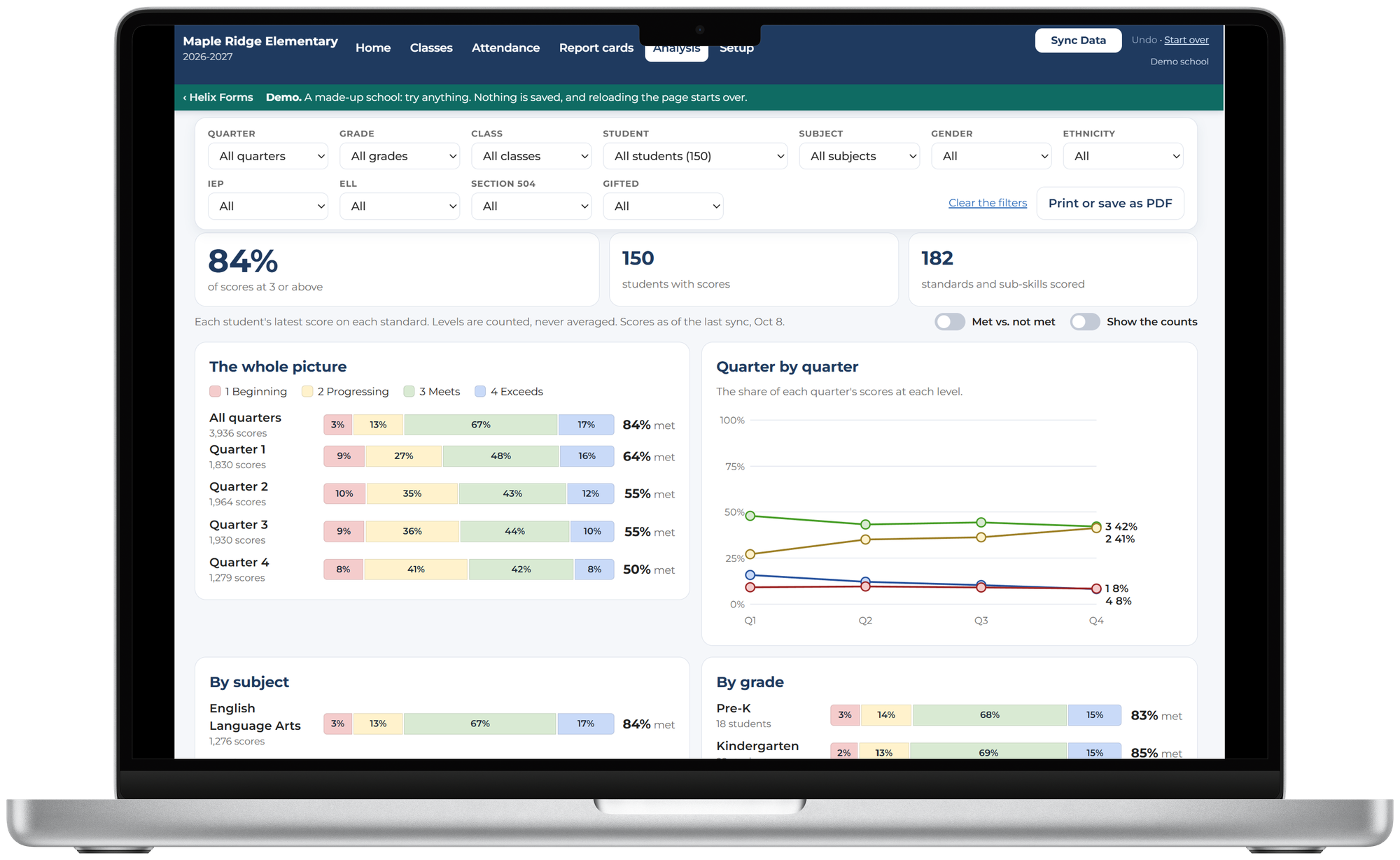
- See where students stand. The Analysis page shows results by subject, grade, class, and student group, with the standards most and least often met. Levels are counted, never averaged.
- Principals and office staff can view and print. Share the school's spreadsheet with them as a viewer.
- A new school year in a minute. Your setup carries over; students, scores, and class files start fresh.
How it uses your Google account
You sign in with Google. Report Card Builder asks for your email address, and for access to only the Google Drive files it creates for your school or that you pick yourself. It uses that access to make your school's folder and spreadsheets, share each class spreadsheet with the teachers you list, and read and save scores, comments, and attendance. It cannot see anything else in your Drive.
Privacy first. Student data never touches our servers. It lives in your school's Google Sheets, in your school's Google account. Privacy policy · Terms of service
Who it's for
- Elementary and K-8 schools that report by standards instead of letter grades
- Principals and office staff who set up and print the cards
- Classroom and specials teachers who enter scores and comments
- Schools on Google Workspace that want their data in their own account
Try it free, then one simple license
Priced by the building, not by the student or the teacher.
- Everyone at your school's email domain
- Up to 50 classrooms and 1,500 students
- Score entry, report cards, and analysis
- Office staff can view and print
- Everyone at your district's email domain
- Each building keeps its own setup and files
- 20% off the building price
Works with Google accounts.
Need a quote or a purchase order? Get in touch.
Report cards without the scramble.
Start with your school Google account, or look around the demo first.
Contact the developer · Tracking behavior too? CICO Behavior Analyzer handles Check-In / Check-Out.